
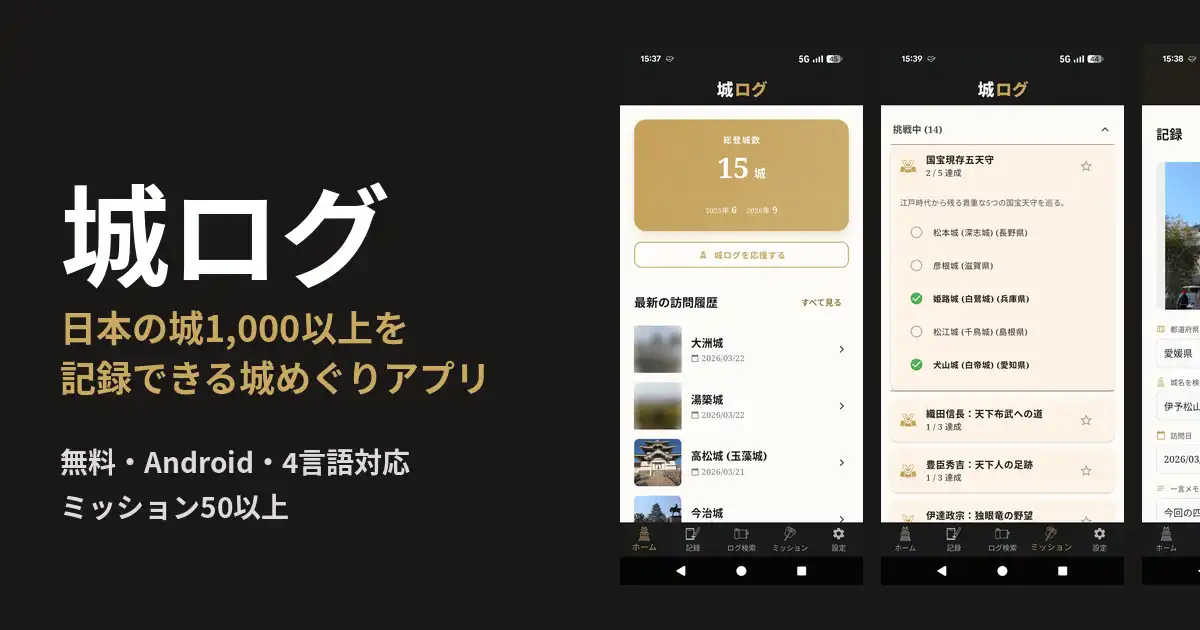
I built an Android app called ShiroLog to keep a record of my castle trips. ShiroLog is a free app that lets you pick the castles you have visited from a list of more than 1,000 Japanese castles and save the visit date, photos and a short note. It also has more than 50 missions, such as “the national-treasure castle keeps” and “castles linked to Oda Nobunaga”, which help you decide where to go next. The app is available in English, Japanese, Chinese and Korean.
This article explains what ShiroLog can do, how to use it, and answers some common questions.
In Short: Who ShiroLog Is For
- People who want to keep photos of the castles they visit under the correct names: more than 1,000 castle names are built in, so you never have to worry about spelling variations.
- People looking for their next castle: more than 50 missions give your castle trips a goal.
- Travelers visiting Japanese castles from overseas: the app works in English, Chinese and Korean.
- Families exploring castles with children: there are no settings to configure, so even kids can use it easily.
ShiroLog at a Glance
| App name | ShiroLog – Japan Castle Tracker (城ログ in Japanese) |
| Platform | Android (Google Play) |
| Price | Free (contains ads) |
| Languages | English, Japanese, Chinese, Korean |
| Castles | 1,000+ |
| Missions | 50+ (new ones added regularly) |
| Main features | Castle log (date, photos, notes), log search, missions, sharing |
What You Can Do with ShiroLog
1. Log the castles you visit
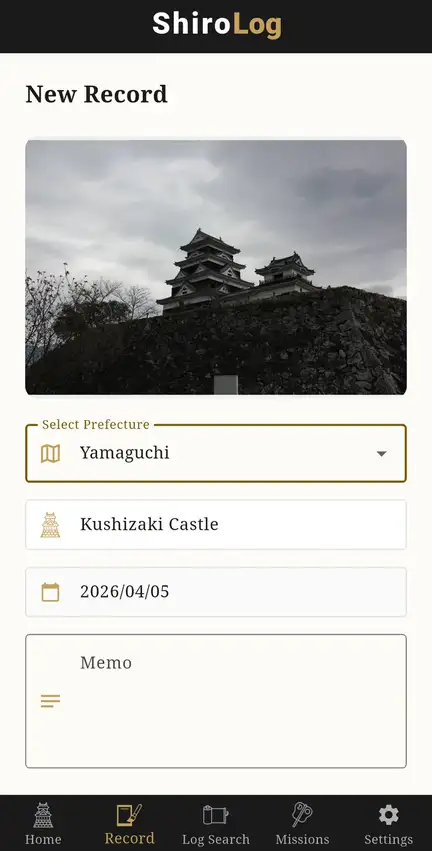
Select the prefecture, search for the castle name and pick it from the list. You can save the visit date, a photo and a short note together. Because castle names are built in, castles with alternative names, such as Takamatsu Castle (Tamamo Castle), are always recorded correctly.
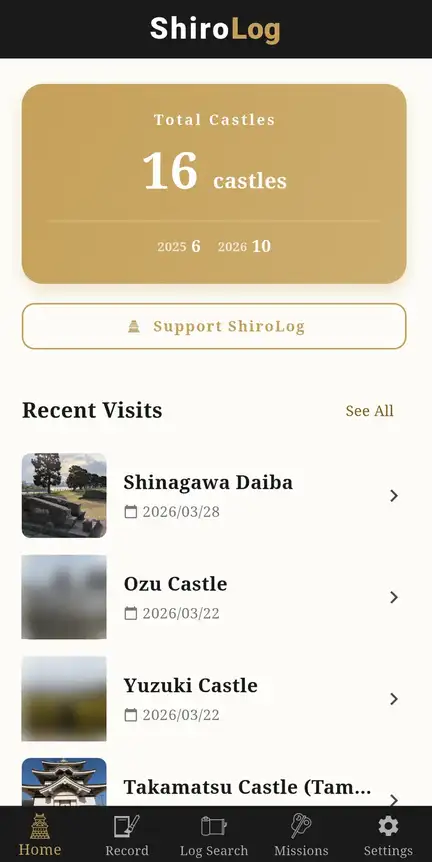
2. See your total castles and recent visits
The home screen shows the total number of castles you have visited, the number per year and your most recent visits. Each visit appears with its photo, so it is also a nice way to look back on your trips.
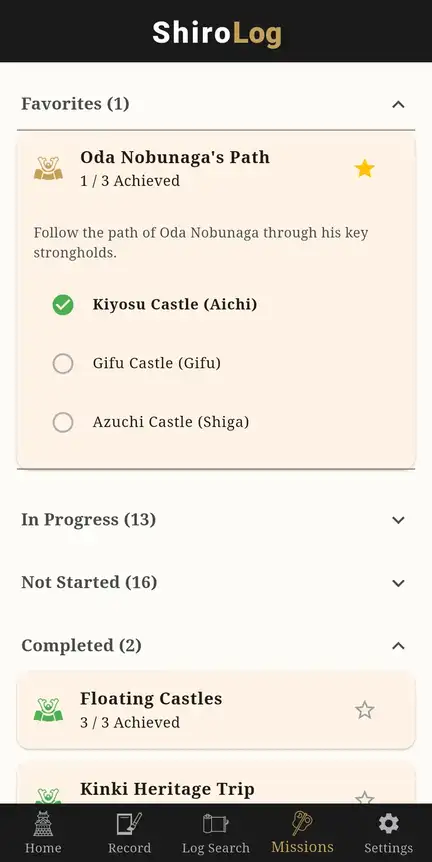
3. Take on missions
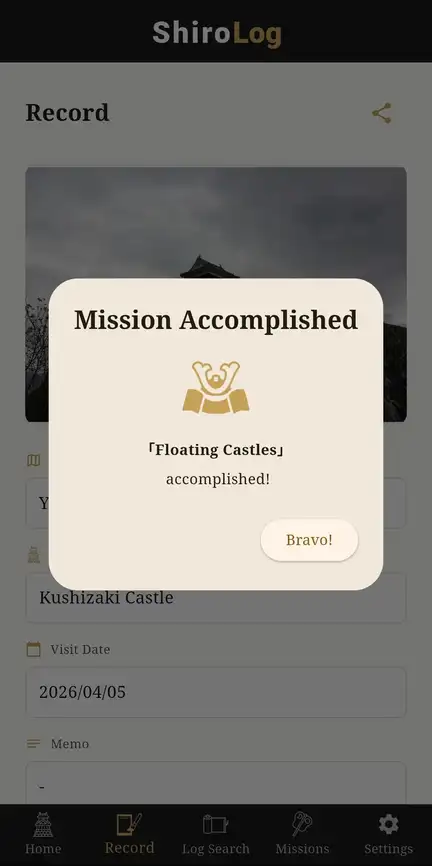
ShiroLog has more than 50 missions. Visiting castles that match a theme raises your progress, and when you have visited them all you get a “Mission Accomplished” screen. New missions are added regularly.
- National treasures and original keeps: for example, the five national-treasure castle keeps (Matsumoto, Hikone, Himeji, Matsue and Inuyama)
- Warlords: castles linked to Oda Nobunaga, Toyotomi Hideyoshi, Date Masamune, Asakura Yoshikage, Azai Nagamasa and more
- Themes and regions: castles by the sea, original keeps of Shikoku and more
How to Use It (3 Steps)
- Install ShiroLog from Google Play.
- When you arrive at a castle, open “Record”, choose the prefecture and castle, and save a photo and a note.
- Open “Missions” and choose your next castle.
Why I Made ShiroLog
I made ShiroLog together with my son, who loves castles. When you are walking around a castle, detailed settings and lots of typing get in the way. So I kept the features simple, so that all you need to do is choose a castle and save a photo and a note. My son uses it himself to check that it is easy to use.
FAQ
Q. Is ShiroLog free?
A. Yes, it is free to use. The app contains ads.
Q. Is there an iPhone version?
A. Not at the moment. ShiroLog is available on Android only (Google Play).
Q. Which languages does it support?
A. English, Japanese, Chinese and Korean.
Q. Which castles can I log?
A. More than 1,000 castles across Japan are registered.
Q. How many missions are there?
A. More than 50, and new missions are added regularly.
Download
ShiroLog is free to download from Google Play. I hope it makes your castle trips in Japan even more fun.



Comments